POS stands for point of sale.
A point-of-sale (POS) transaction is what takes place between a merchant and a customer when a product or service is purchased, commonly using a point of sale system to complete the transaction. To see different types of POS systems.
So when you’re at your favorite restaurant or retail shop, and you make a purchase, you are completing a point-of-sale (POS) or a point of purchase (POP) transaction.
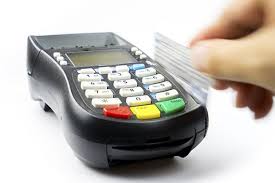
Merchants typically use a POS system to complete a sales transaction. In its most basic definition, a POS system is a combination of POS hardware and POS software to create a POS machine for processing a transaction and payment.
Cash registers are not as evolved as using a POS system and lack many of the functions and features of a modern day point of sale system. A cash register could be considered a point of sale solution technically, however, for our definitions, we will be focusing on point-of-sale machines (aka POS terminals) that involve both software and hardware. Continue below to learn more.
What is a POS System?
A POS system is synonymous with POS terminal. However, a POS terminal is the electronic equipment performing the sales transaction and processing the credit card payments. Used in most storefront businesses, a computer terminal combined with the POS software helps to manage everyday sales transactions and operations.Like you learned, with the combination of the POS software and a POS terminal, you now have the full definition of a POS system. A point of sale system is the heart of a business and used for many essential tasks such as inventory management, labor reporting, menu customizations, price adjustments, staff management, sales reporting, customer management, marketing initiates, and so much more. The next time you’re at a restaurant or retail store, ask the clerk what type of system they are using, and you’ll soon learn there are hundreds of different kinds of systems out there.
To dive deeper into the meaning and definition, we are also going to explore the various types of POS systems there are.
Types Of POS Systems
1. Restaurant POS Systems
Why is a point of sale system needed for a restaurant? The
primary reason you need a point of sale for a restaurant is to accept
cash and credit card payments. In addition to receiving payments, you
need to be able to track all your sales and tax data. Most quality
restaurant POS systems have the reporting features built-in to monitor
your sales by date, time and type. But that’s only the beginning of the
awesomeness.
There can be hundreds of features that can streamline your operations and make your restaurant more efficient. For instance, most restaurant POS systems allow you to put in an order and send the order directly to a kitchen printer reducing errors in the kitchen and increasing staff and food prep efficiency. Another benefit would be tracking inventory and food usage. You can also follow payroll with built-in time clock feature.
The main drawback with new or proprietary business software is there can be a slight learning curve involved when figuring out new technology.
Restaurant Pro Tip Summary: If you’re just starting out, make sure your restaurant management system has all the features you need to operate your business at a price point that’s affordable with the features that allow you to grow.
There can be hundreds of features that can streamline your operations and make your restaurant more efficient. For instance, most restaurant POS systems allow you to put in an order and send the order directly to a kitchen printer reducing errors in the kitchen and increasing staff and food prep efficiency. Another benefit would be tracking inventory and food usage. You can also follow payroll with built-in time clock feature.
The main drawback with new or proprietary business software is there can be a slight learning curve involved when figuring out new technology.
Restaurant Pro Tip Summary: If you’re just starting out, make sure your restaurant management system has all the features you need to operate your business at a price point that’s affordable with the features that allow you to grow.
2. Bar POS Systems
Although there is software designed specifically for bars, most
point of sale systems used by restaurants can also be used by bars. A
fast, efficient and reliable bar and restaurant POS system, like Harbortouch Bar & Restaurant,
can mean the difference between success and failure in the bar and
restaurant business. Particularly for busy bars, your system needs to
have speed functions and features for quick order input and fast check
out.
The quicker you’re able to process a transaction; you’ll have happier customers and generate more revenue for the business. Most iPad-based systems fall short for bars in this regard because they rely solely on a fast and stable internet connection and internet speed can be unreliable or go down sometimes.
The features to look for in a nightclub or bar system would be bar tab management, customer management, employee management, inventory controls, recipe features, easily reorder drinks and express check out. For the reporting side, you’ll want to see your labor costs compared to sales, product reports, and all your sales and tax reports.
Bar Pro Tip Summary: If you’re just starting out, make sure your bar software is fast and easy to use. Do not rely on an iPad or cloud-based system that is reliant on the internet to run a busy bar or restaurant environment unless you have a failover internet connection in place.
The quicker you’re able to process a transaction; you’ll have happier customers and generate more revenue for the business. Most iPad-based systems fall short for bars in this regard because they rely solely on a fast and stable internet connection and internet speed can be unreliable or go down sometimes.
The features to look for in a nightclub or bar system would be bar tab management, customer management, employee management, inventory controls, recipe features, easily reorder drinks and express check out. For the reporting side, you’ll want to see your labor costs compared to sales, product reports, and all your sales and tax reports.
Bar Pro Tip Summary: If you’re just starting out, make sure your bar software is fast and easy to use. Do not rely on an iPad or cloud-based system that is reliant on the internet to run a busy bar or restaurant environment unless you have a failover internet connection in place.
3. Retail POS Systems
Retail point of purchase (POP) systems are typically programmed
for retail environments. So that means you would most likely never use
restaurant software for a retail shop and vice versa.
Some software or Apps on the market claim to be cross-platform, but that doesn’t mean you should ever use them.
Retail businesses can have some particular requirements and features that other programs will not have. They can have retail shop features such as color and size matrixing, inventory tracking, employee commissions, gift registry, customer database, layaway, and purchase orders.
Also, a retail POS system, like Harbortouch Retail POS, may include a digital scale or barcode scanner for weighing or scanning items respectively.
Retail technology has developed to such a degree that you can get nearly any report you could ever desire, with the right point of purchase software of course. Specifically look for reports such as detailed sales reports, customer reports, vendor reports, and inventory reports.
Retail Pro Tip Summary: If you’re just starting out, make sure the retail store program has all the features and reporting you need with the hardware required to run your business correctly.
Some software or Apps on the market claim to be cross-platform, but that doesn’t mean you should ever use them.
Retail businesses can have some particular requirements and features that other programs will not have. They can have retail shop features such as color and size matrixing, inventory tracking, employee commissions, gift registry, customer database, layaway, and purchase orders.
Also, a retail POS system, like Harbortouch Retail POS, may include a digital scale or barcode scanner for weighing or scanning items respectively.
Retail technology has developed to such a degree that you can get nearly any report you could ever desire, with the right point of purchase software of course. Specifically look for reports such as detailed sales reports, customer reports, vendor reports, and inventory reports.
Retail Pro Tip Summary: If you’re just starting out, make sure the retail store program has all the features and reporting you need with the hardware required to run your business correctly.
4. Small Business POS Systems
A small business point of sale system could come in many shapes, sizes, and flavors. Search small business POS systems online,
and you’ll find yourself in the middle of a battle over the best mode
of the week because they’re hundreds, if not thousands. Most of the new
small business technology is app based and on mobile platforms.
Remember I mentioned earlier under bar systems, that it’s probably not the best idea to use a cloud-based system? Well, in the case of small business, we’re going to cut tablet apps some slack. That’s because most of the mobile small business systems are designed to be light, flexible and cost-effective.
If you’re not processing an enormous amount of volume and speed isn’t as critical (like a restaurant or bar), then a mobile POS could be just the answer to save you some money. Additionally, a lot of these apps can very feature rich and have everything you need without spending thousands on a “traditional” touchscreen POS terminal.
As examples, an iPad or tablet can be used for environments like a small retail shop, little restaurant, yogurt shop, boutique store, cafe or coffee shop. Places where you need quality features and functions but where a cash register may not be enough to get the job done.
Small Business Pro Tip Summary: We’re going to go ahead and say it and toot our own horn. We have a fantastic small business POS system called Echo for only $39 per month. It’s Android-based and excellent.
Remember I mentioned earlier under bar systems, that it’s probably not the best idea to use a cloud-based system? Well, in the case of small business, we’re going to cut tablet apps some slack. That’s because most of the mobile small business systems are designed to be light, flexible and cost-effective.
If you’re not processing an enormous amount of volume and speed isn’t as critical (like a restaurant or bar), then a mobile POS could be just the answer to save you some money. Additionally, a lot of these apps can very feature rich and have everything you need without spending thousands on a “traditional” touchscreen POS terminal.
As examples, an iPad or tablet can be used for environments like a small retail shop, little restaurant, yogurt shop, boutique store, cafe or coffee shop. Places where you need quality features and functions but where a cash register may not be enough to get the job done.
Small Business Pro Tip Summary: We’re going to go ahead and say it and toot our own horn. We have a fantastic small business POS system called Echo for only $39 per month. It’s Android-based and excellent.
5. Salon and Spa POS Systems
Nail salons, hair salons and spas all require a particular set of
POS options due to the nature of the business. Options like an online
appointment calendar, appointment reminders, customer database with
details for a previous haircut or nails styles, retail functionality,
inventory management, online employee scheduling, and employee
management are all vital to have. So not just any software system will
do.
Nail and hair salon POS systems can sometimes be used for other business types like barber shops, gyms, fitness clubs, beauty schools, massage parlors, pet grooming, tattoo parlors, just to name a few. That is because these other business types will especially require an appointment calendar and may need retail functionality with inventory control, and not every software program has those features.
Salon and Spa Pro Tip Summary: If you’re a small salon, you might not need all the features of a more advanced salon software system. You might be able to use something simple and inexpensive like Echo for small business. If you have multiple employees and if you do booth rentals, you may want to carefully consider a full-featured salon system like Harbortouch Salon & Spa.
Nail and hair salon POS systems can sometimes be used for other business types like barber shops, gyms, fitness clubs, beauty schools, massage parlors, pet grooming, tattoo parlors, just to name a few. That is because these other business types will especially require an appointment calendar and may need retail functionality with inventory control, and not every software program has those features.
Salon and Spa Pro Tip Summary: If you’re a small salon, you might not need all the features of a more advanced salon software system. You might be able to use something simple and inexpensive like Echo for small business. If you have multiple employees and if you do booth rentals, you may want to carefully consider a full-featured salon system like Harbortouch Salon & Spa.
Summary
The definition and abbreviation of what is POS can mean several
different things, for instance, P.O.S. can stand for “Positive,”
“Program of Study,” “Parent Over Shoulder,” or “Point of Service.” It
can also be used for a modern slang I’d rather not repeat, but you can find more acronyms for POS here and here in the business world, mainly related to banking, retail and restaurant businesses the actual definition of POS is Point of Sale.

No comments:
Post a Comment